2. Github and git setup
2.1. Use the Tiny Tapeout template for a Verilog design on SKY130A
TT - Working with HDLs - reference tutorial
-
Log in to GitHub or create a new account.
-
Create a new repository using
ttsky-verilog-template
Click the green "Use this template" and select "Create a new repository".
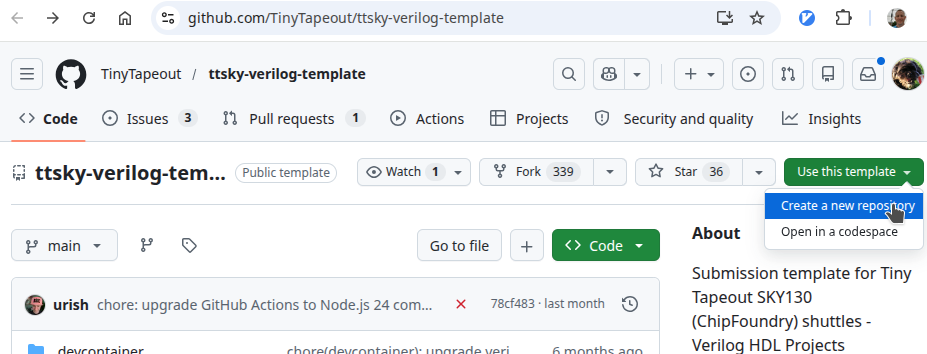
Choose a relevant name for your project.
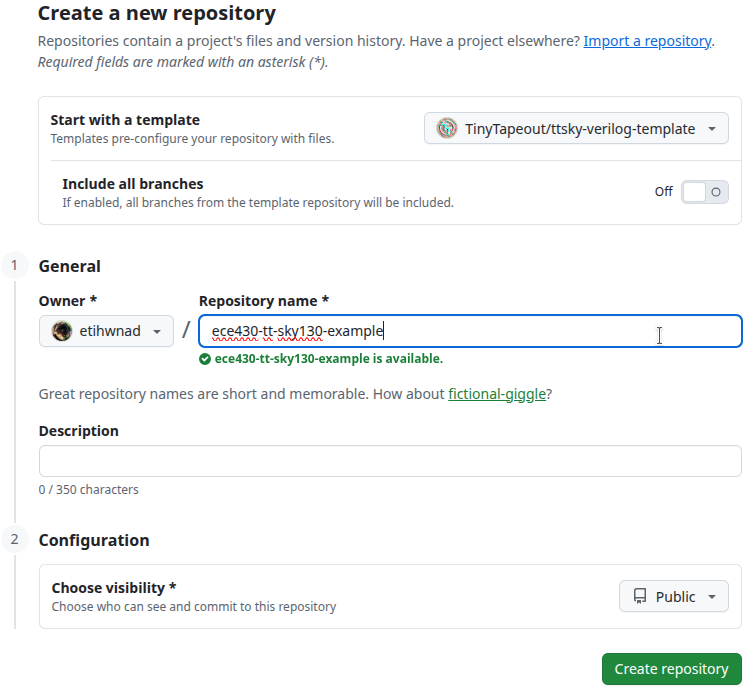
READ the README.md file for information on completing your repository’s setup in GitHub.
-
Enable GitHub Pages
2.2. Clone your design repository to OSIC instance
You will want to use the noVNC clipboard, so login to your OSIC instance by adding “vnc.html” to the URL:
http://10.3.162.85:500id/vnc.html?password=…
From a Terminal, run the bootstrap.sh script to configure your session for using git:
# run the script
/foss/common/bootstrap.sh

# set up the environment variables without rebooting
source /foss/designs/.designinit
Run the following commands, changing some values to match your Valpo {username, name, and email}:
# Create your SSH key
ssh-keygen -C "dwhite8@iic-osic-tools" -f /foss/designs/.ssh/id_ed25519
# REMEMBER your passphrase!
# git setup
git config --global user.name "Dan White"
git config --global user.email "dan.white@valpo.edu"Add your new SSH public key to your GitHub account:
-
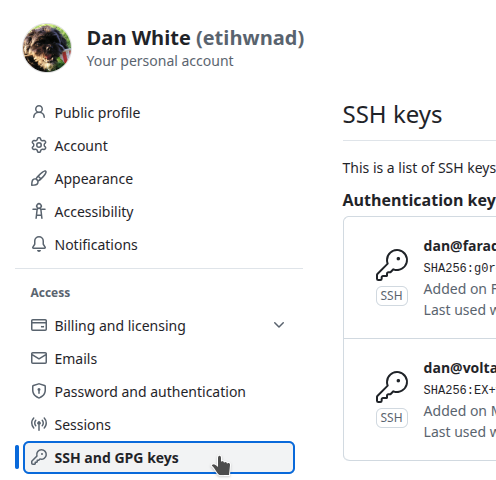
Avatar in upper-right → Settings → SSH and GPG Keys
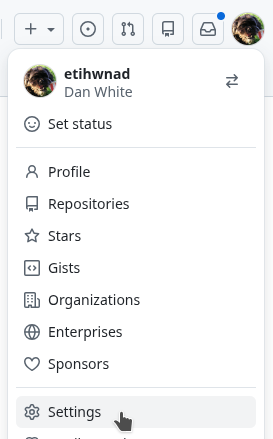
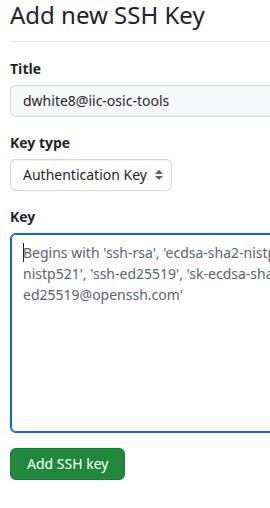
Add new SSH Key
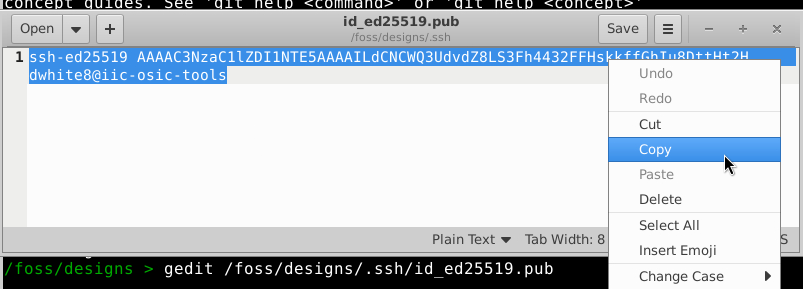
Go back to your OSIC instance and copy the content of your public key /foss/designs/.ssh/id_ed25519.pub.
The .pub is important, the no-extension file is your PRIVATE key and must not be pasted anywhere.
geditgedit /foss/designs/.ssh/id_ed25519.pub
And copy the contents to the clipboard.
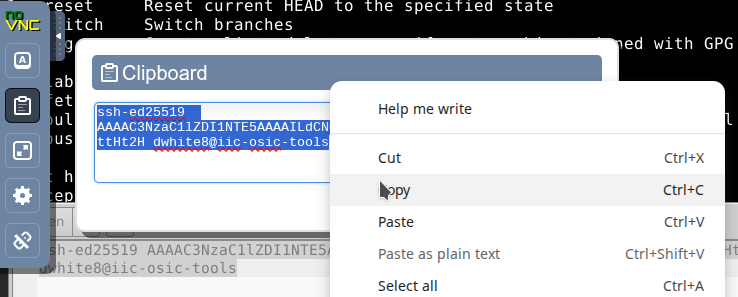
Then use the noVNC clipboard panel to copy to your PC’s clipboard.
Paste into the New SSH Key field in GitHub:
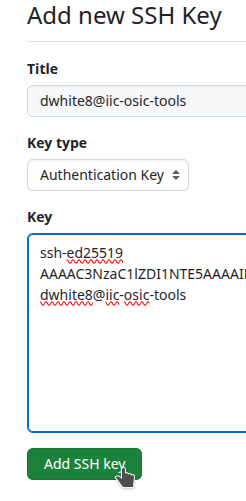
Go back to your OSIC instance and clone your new design repository from a terminal:
# Change to the correct folder
$ cd /foss/designs

# Replace the URL with YOUR design's location!
$ git clone git@github.com:etihwnad/ece430-tt-sky130-example.git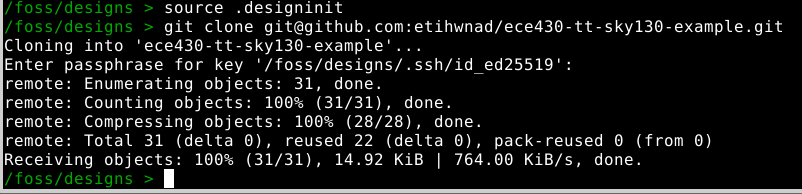
You should now have a new folder for your design:
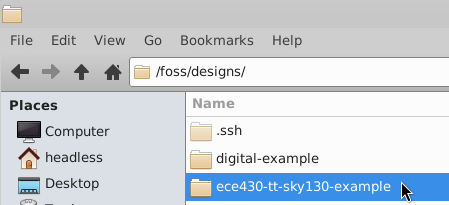
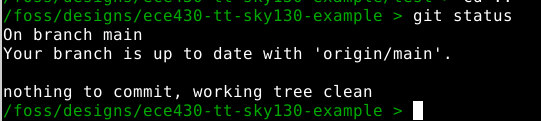
git status will show you if there are any changes to your tracked files: